Live product

MiniBook3

Offline point-of-sale for a single shop. Run shifts, sell with mixed-tax checkout, print thermal or PDF receipts, and close the day with a Z-Report — all stored on your machine. No cloud account required.

LinuxWindowsmacOS
v1.0.0 · Linux · Windows · macOS
Offline-firstLocal SQLite
PyWebviewDesktop shell
470+Automated tests
MiniBook3 · Offline checkout · PyWebview · SQLite · v1.0.0
Shop registerLive

What MiniBook3 does

Built for the counter. Scan or pick products, take cash or card, print a receipt. Admins manage products, users, and backups in the same app. Works offline; data stays in local SQLite.

What it does

  • Three-column checkout UI · 4 shop modes (Pharmacy, Boutique, Food, Misc) chosen at setup
  • Shifts with drawer open/close and variance · Mixed-tax sales · Cash and card payment
  • Suspend and recall carts · Returns by receipt number
  • Thermal 58 mm / 80 mm + PDF receipts · USB barcode scanner · Cash drawer kick
  • Z-Report (admin) · Product catalog + CSV import · Daily automatic backup · Up to 10 users
Product tour

A day at the counter with MiniBook3

Screens from the v1.0.0 desktop app — from opening the register to closing the shift and the customer display.

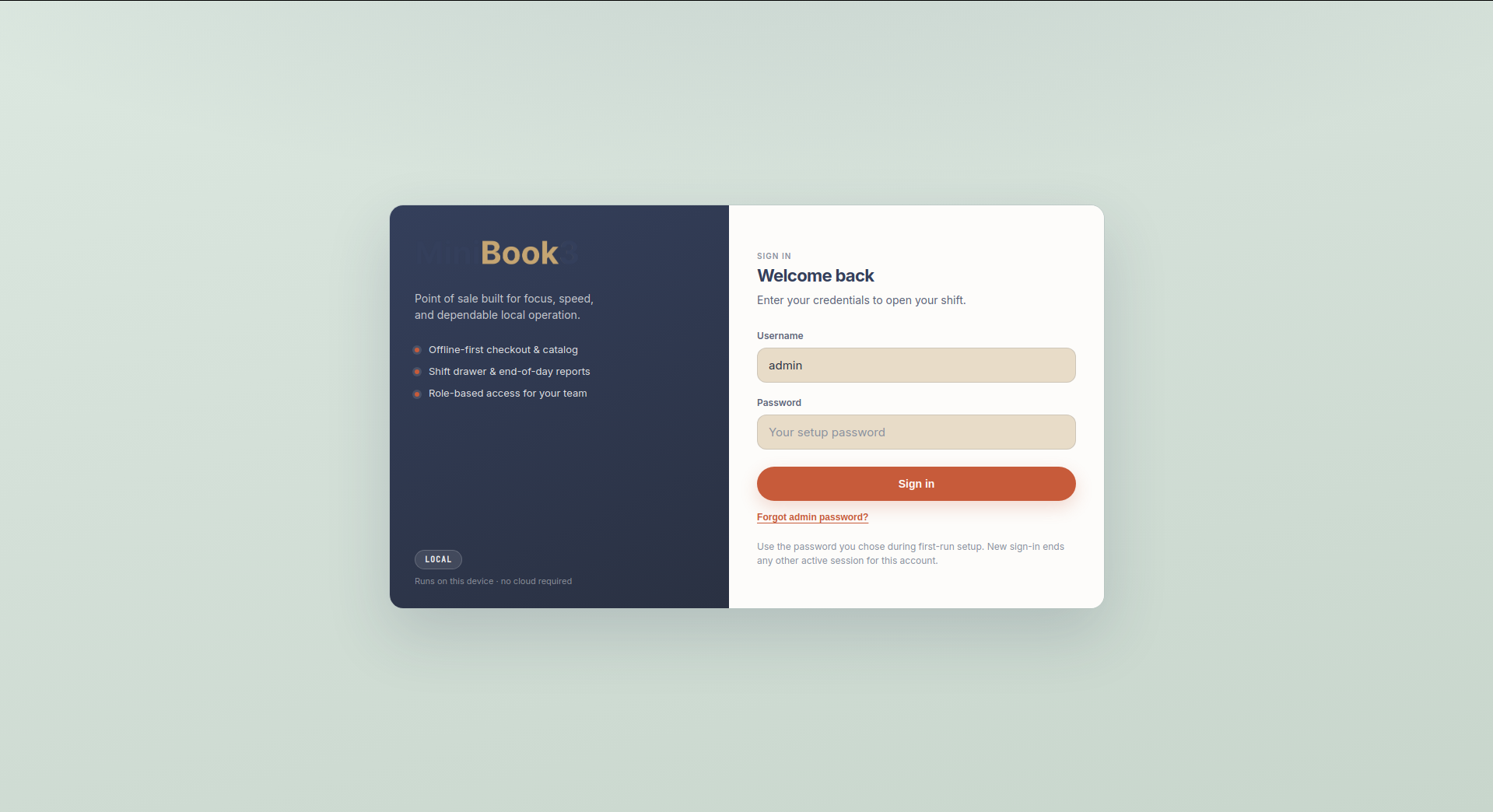
MiniBook3 sign-in screen with offline-first branding
Sign in · Local users · No cloud required
Step 1v1.0.0

Open the register

Staff sign in with a local account. Checkout, catalog, and reports stay available without internet.

In this screen

  • Local user accounts with role-based permissions
  • Works offline from the first sale of the day
  • Desktop shell on Linux, Windows, and macOS
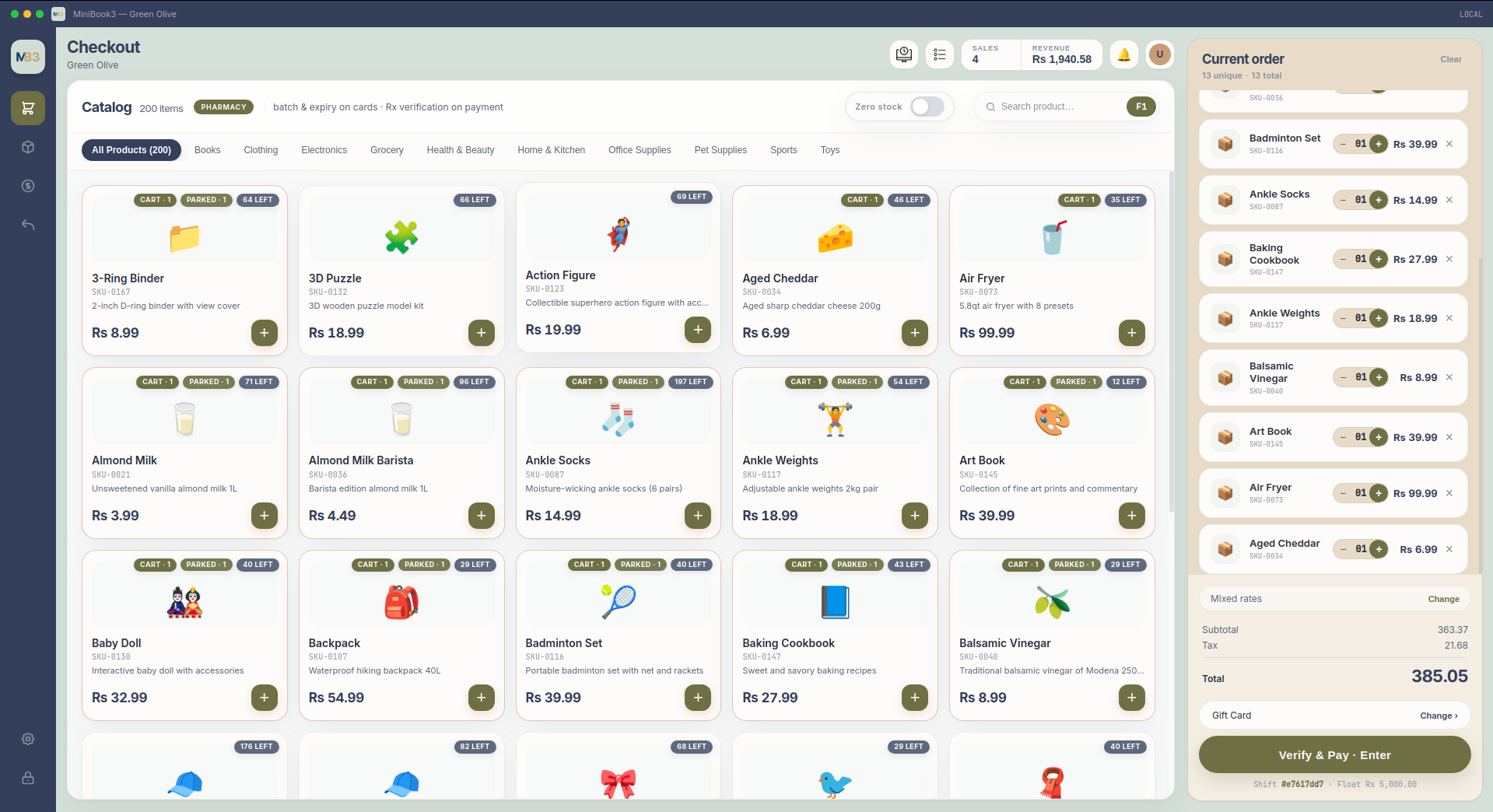
MiniBook3 checkout screen with product grid and cart
Checkout · Catalog · Barcode · Cart · Tender
Step 2v1.0.0

Sell at the counter

Three columns keep catalog, cart, and payment in view. Scan, tap, or search — then take cash, card, or mixed tender and print a receipt.

In this screen

  • Visual catalog grid tuned to your shop mode
  • Suspend and recall carts during busy periods
  • Thermal 58 mm / 80 mm or PDF receipts on every sale
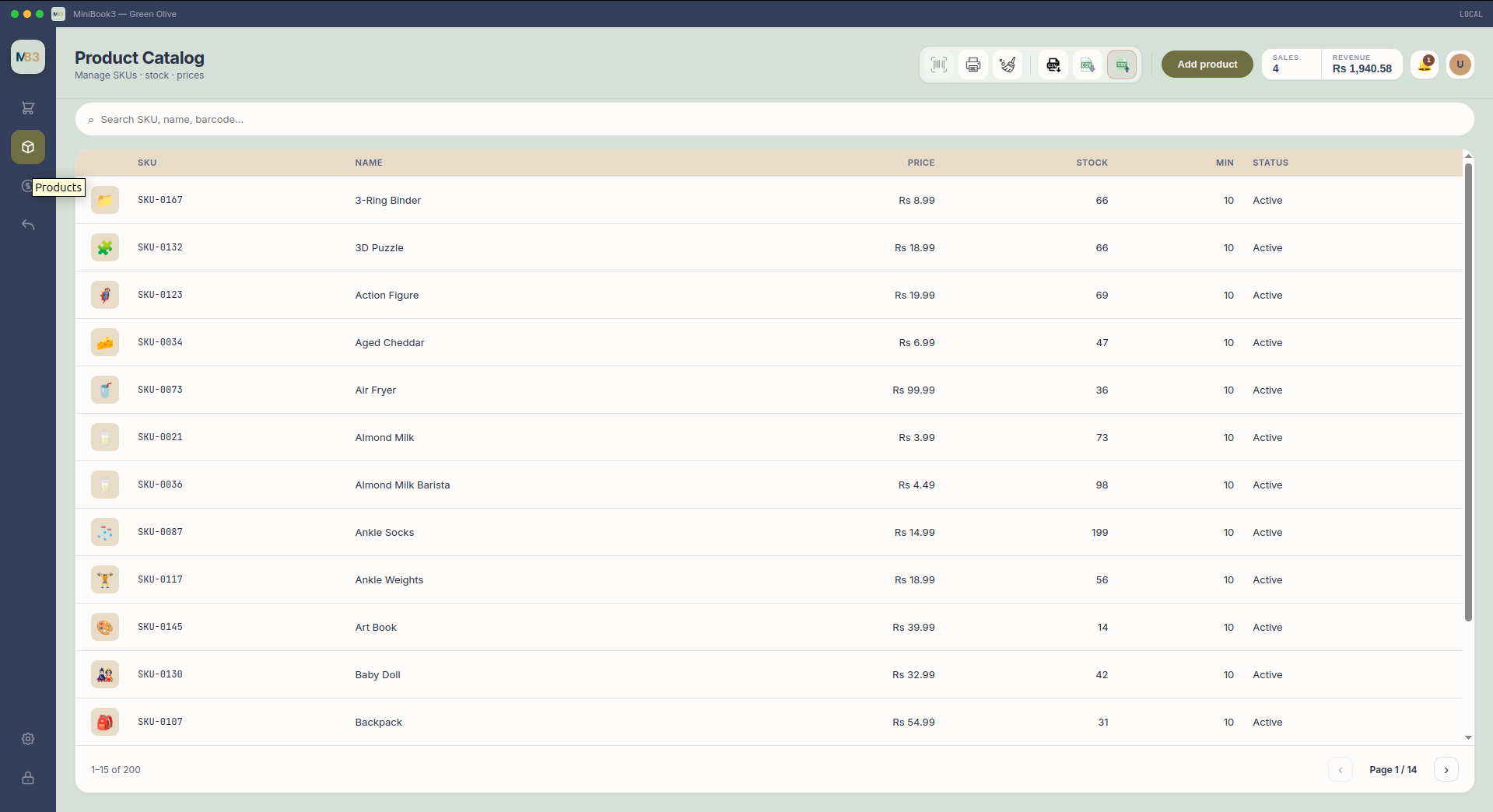
MiniBook3 product catalog table with filters
Catalog · Table view · Filters · Stock
Step 3v1.0.0

Manage the product list

Admins edit prices, tax, stock, and barcodes in one table. Import from CSV when setting up or updating lines.

In this screen

  • Fast search and column filters
  • Mixed-tax categories per product
  • CSV import for bulk updates
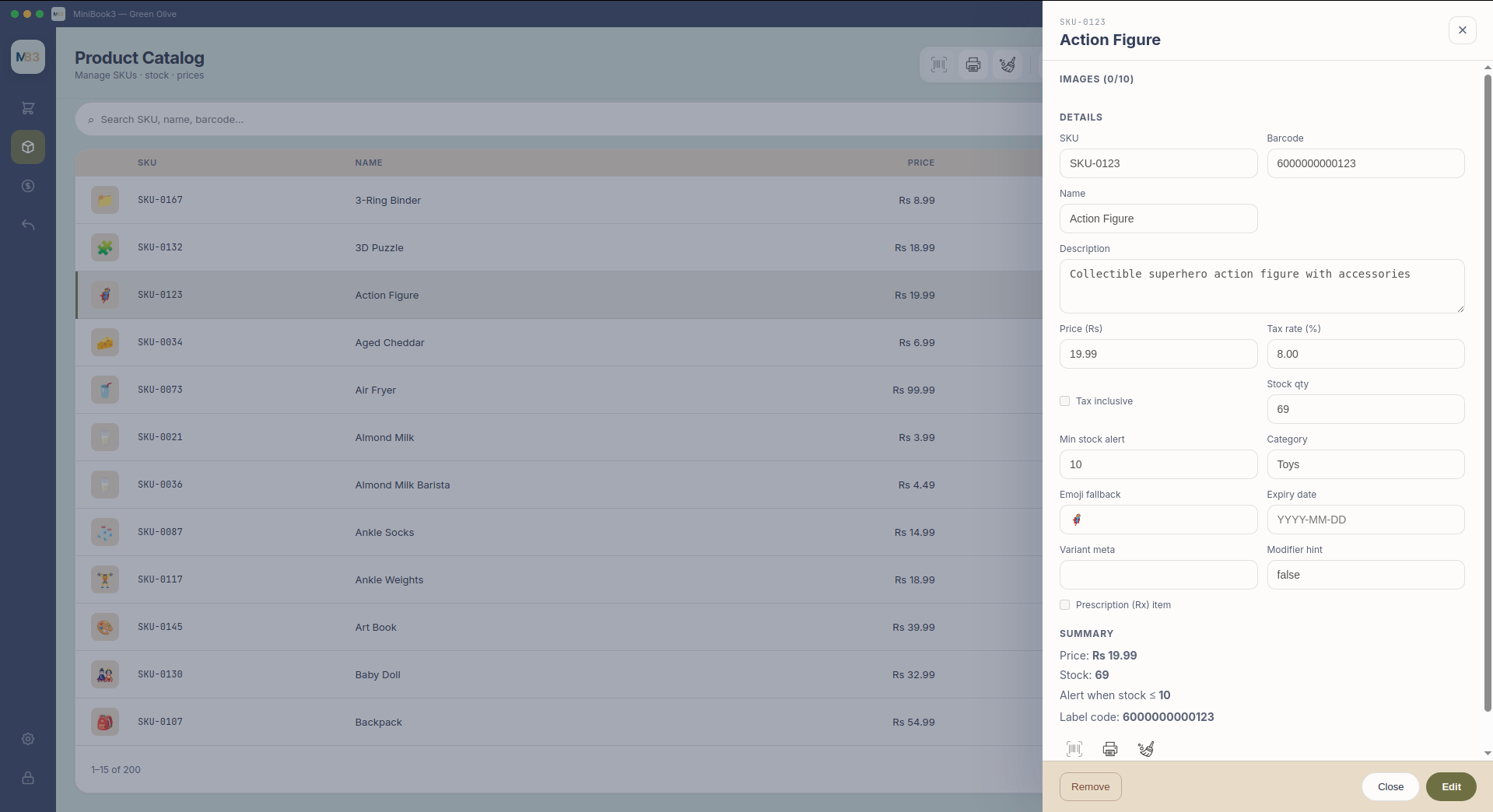
MiniBook3 product detail drawer showing price and stock
Product drawer · Price · Tax · Stock · Barcode
Step 4v1.0.0

Product details nearby

Open any product from checkout or the catalog to see price, tax, stock, and identifiers without leaving the flow.

In this screen

  • Inline edit from the drawer
  • Tax category and barcode visible at checkout
  • Stock warnings before you oversell
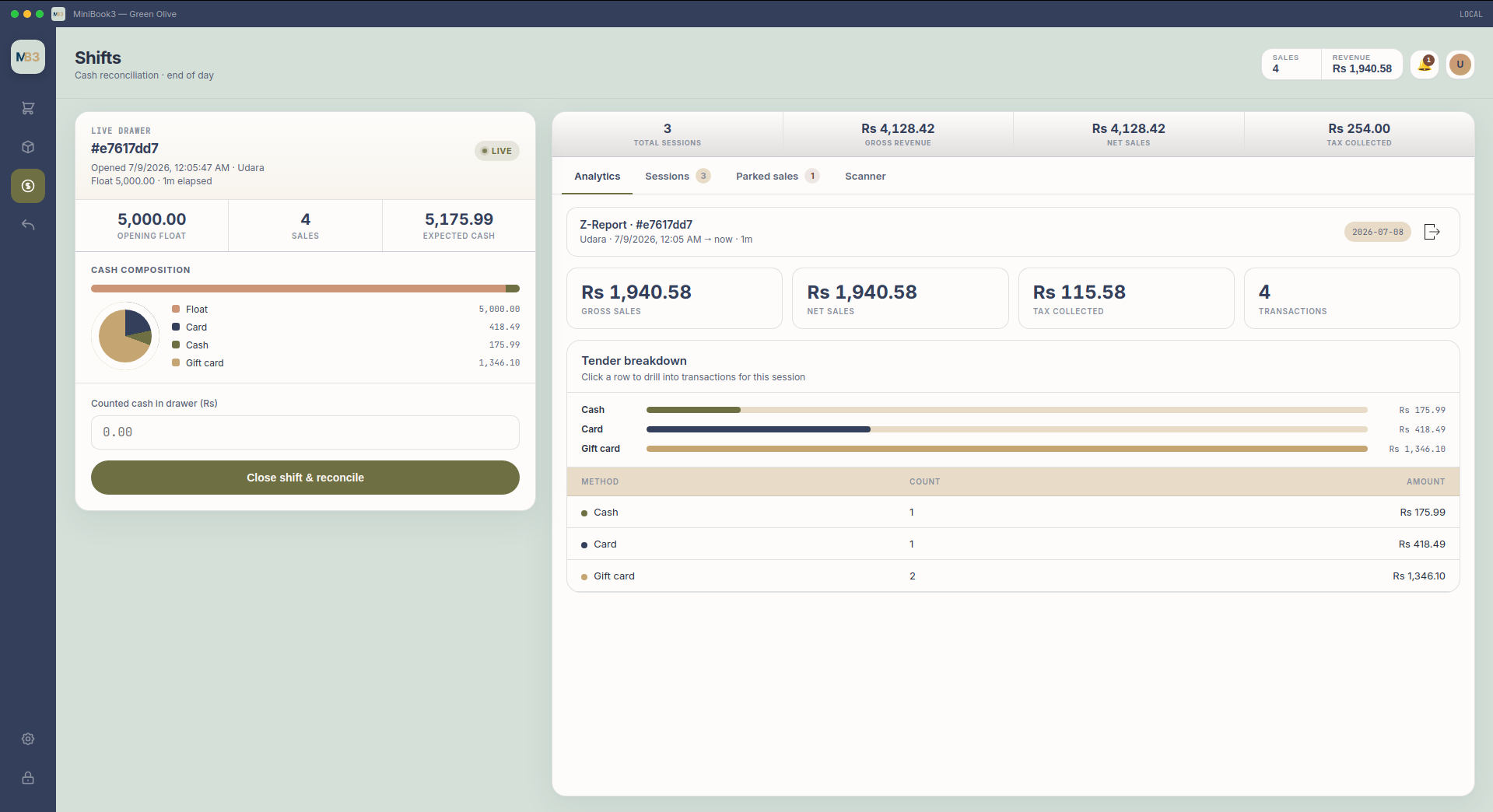
MiniBook3 shifts screen with Z-report and tender breakdown
Shifts · Drawer · Z-Report · Tender mix
Step 5v1.0.0

Close with a Z-Report

Open and close shifts with drawer counts, see variance, and review cash, card, and other tenders before locking the register.

In this screen

  • Live shift drawer with opening float
  • Z-Report summary for admins
  • Per-tender totals and session history
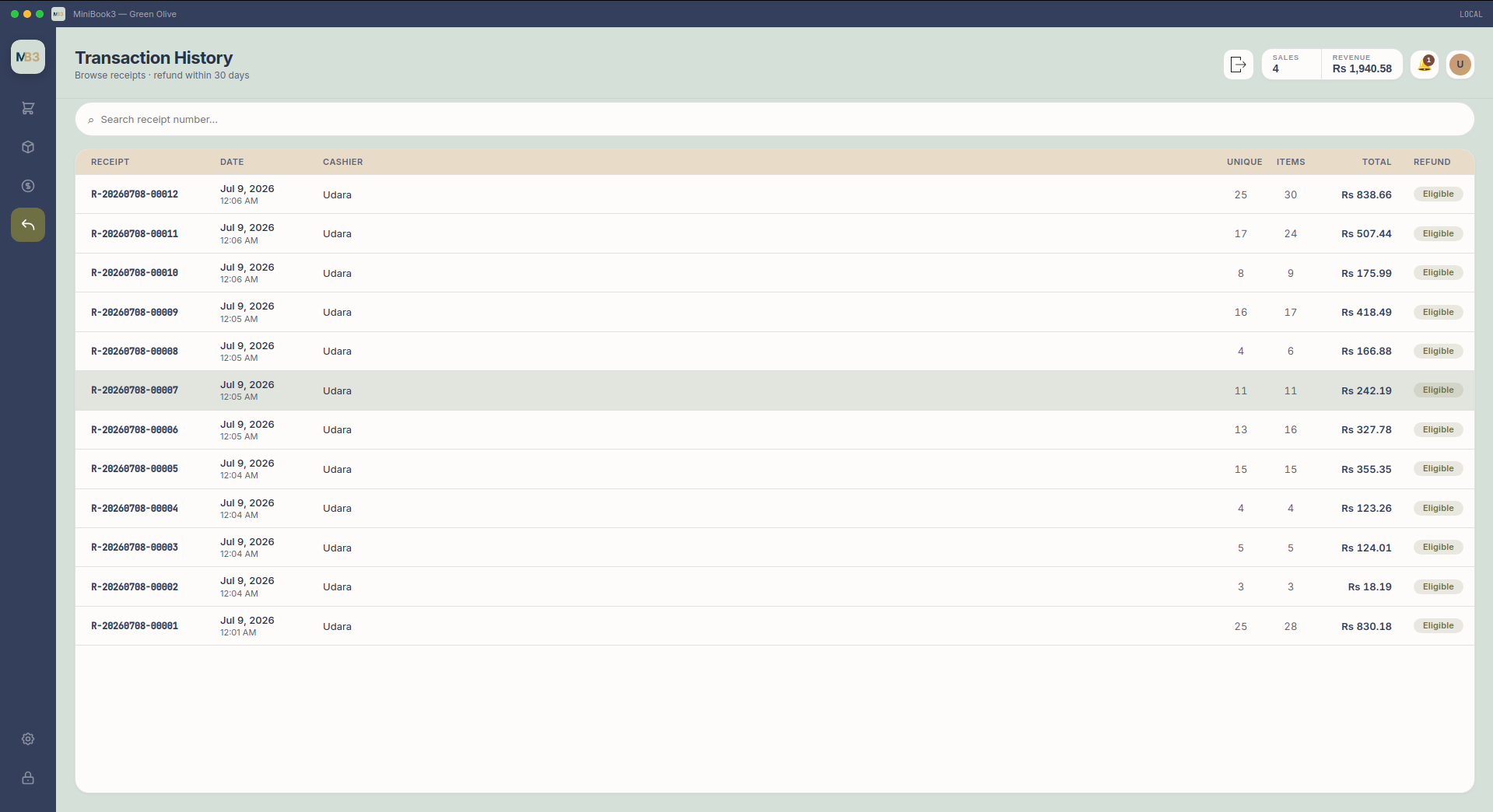
MiniBook3 transaction history list
History · Receipts · Search · Drill-down
Step 6v1.0.0

Transaction history

Every sale is stored locally. Search by receipt, date, or amount, then open line items, tax, tender, and operator.

In this screen

  • Searchable transaction list
  • Receipt-level detail without leaving the app
  • Local SQLite storage — your data stays yours
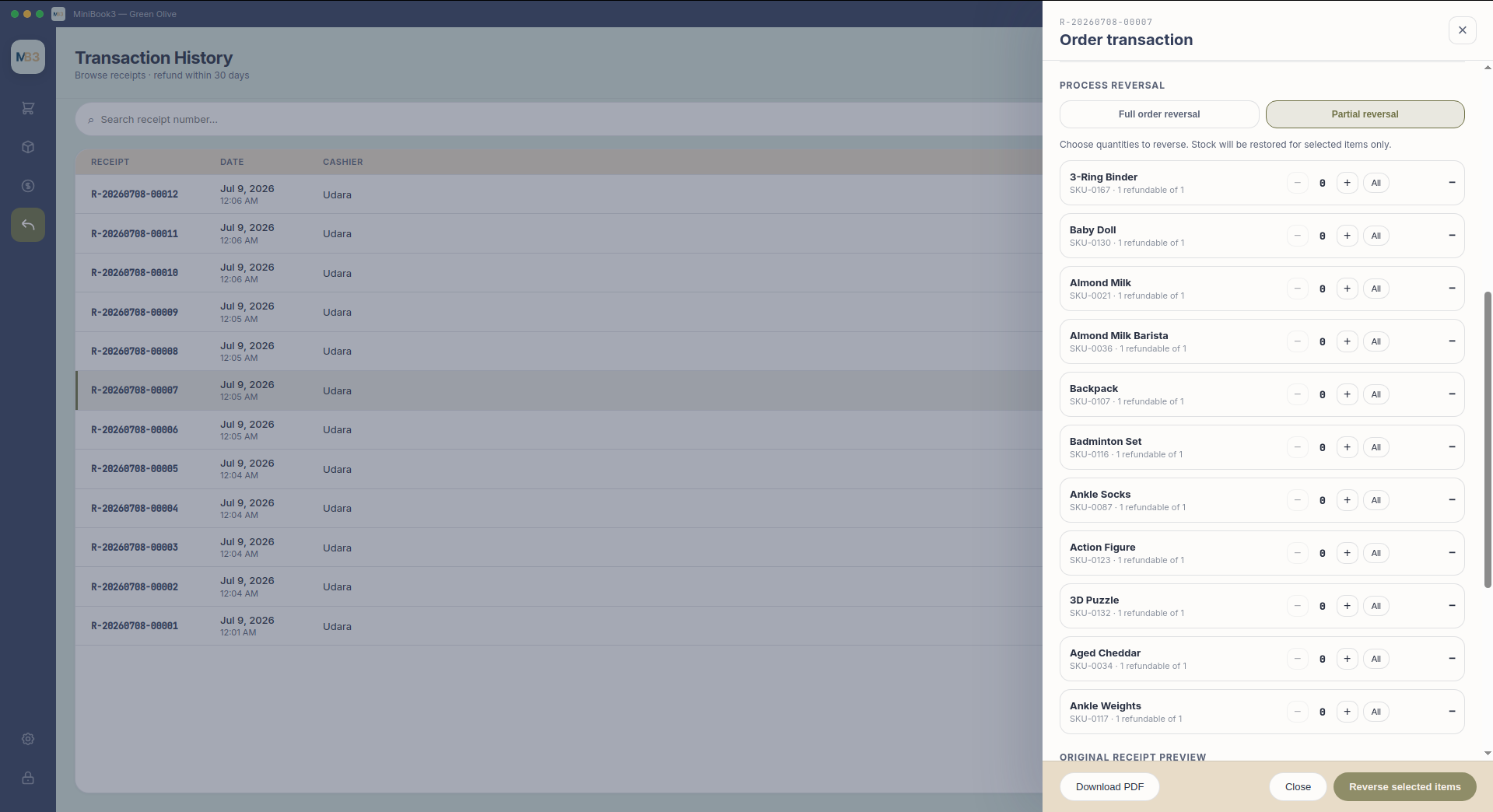
MiniBook3 partial return screen with quantity steppers
Returns · Partial · Full · Line control
Step 7v1.0.0

Returns

Look up a receipt and reverse the order or selected lines. Partial quantities keep stock and tender in sync.

In this screen

  • Full or partial reversal by line
  • Per-line quantity control
  • Stock and tender adjusted automatically
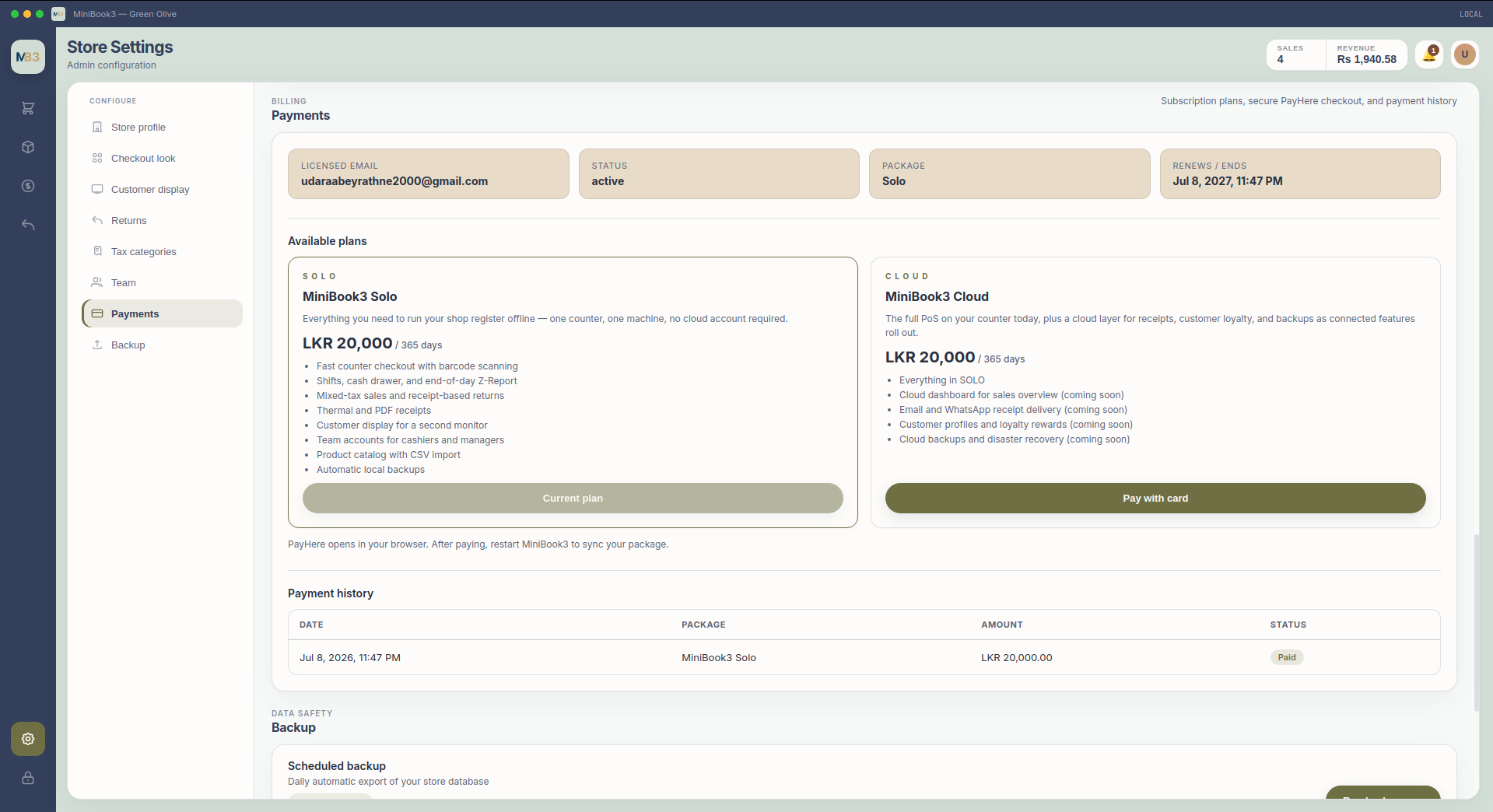
MiniBook3 store settings showing Solo and Cloud plans
Plans · Solo · Cloud · Subscription
Step 8v1.0.0

Solo or Cloud

Run Solo offline on the counter. Move to Cloud later for connected receipts, loyalty, and remote backups — same settings screen.

In this screen

  • Solo: fully offline, no subscription required
  • Cloud: connected features when you need them
  • License and billing visible in one place
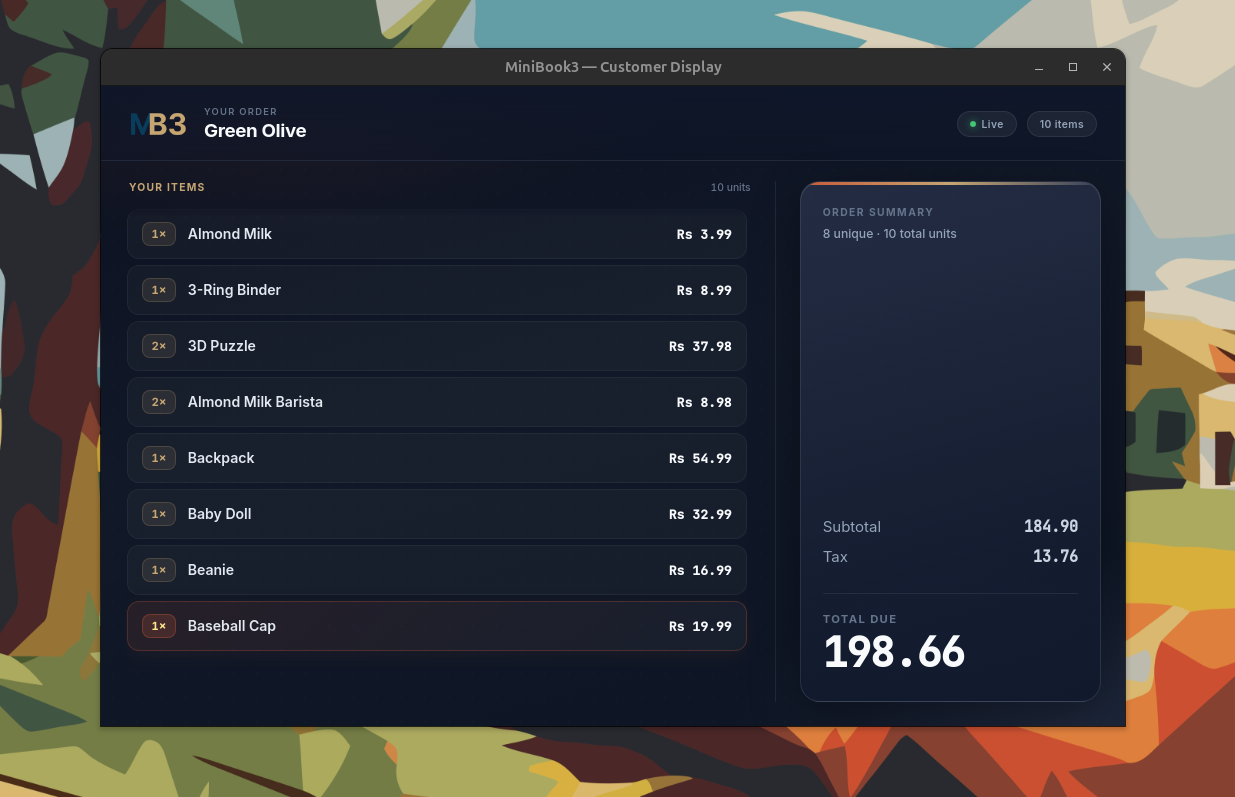
MiniBook3 customer-facing display showing live cart
Customer display · Second screen · Live cart
Step 9v1.0.0

Customer display

A second screen shows the live cart — items, quantities, and totals — while you ring up the sale.

In this screen

  • Real-time cart mirror on a second screen
  • Configurable welcome and idle screens
  • Works alongside the main checkout flow
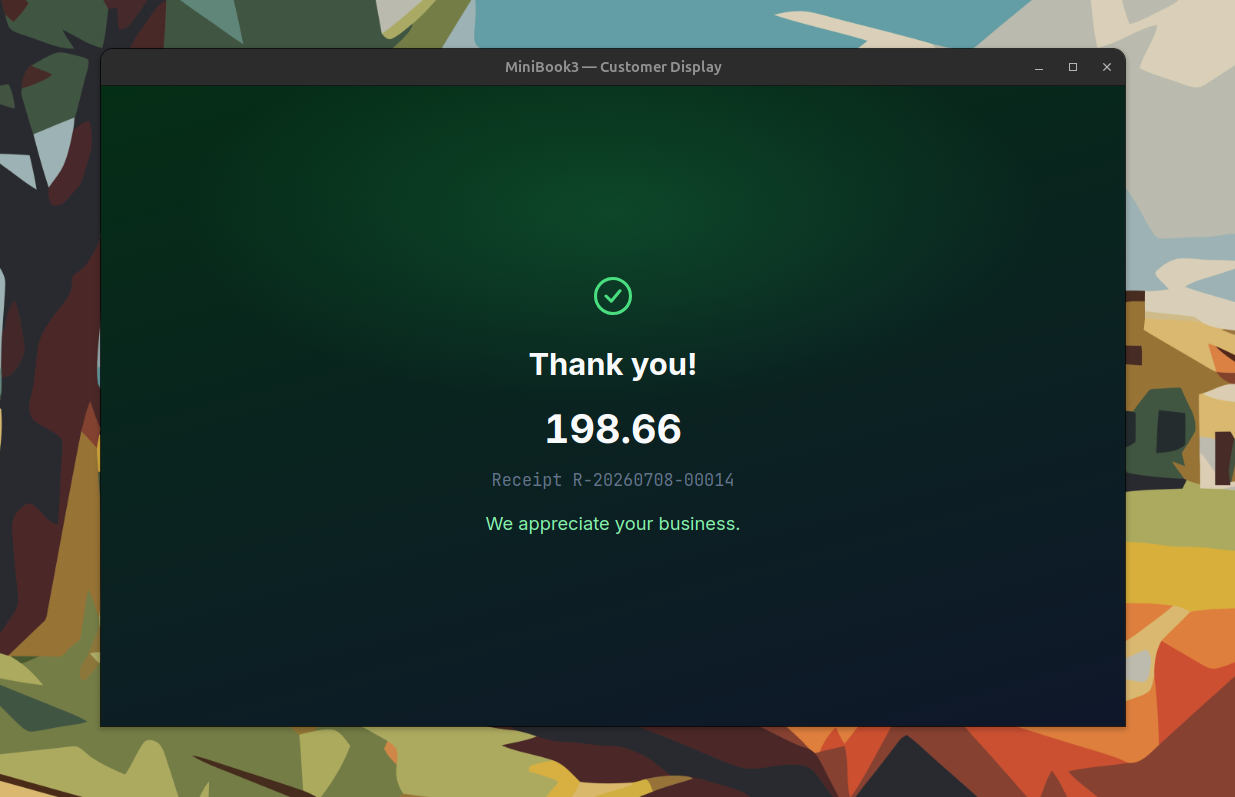
MiniBook3 customer display thank you screen after payment
Complete · Receipt done · Next customer
Step 10v1.0.0

After payment

When payment clears, the customer display shows a thank-you screen while you print or send the receipt.

In this screen

  • Clear end-of-transaction state for customers
  • Pairs with thermal 58 mm / 80 mm or PDF receipts
  • Keeps the line moving at peak hours

Plans

Choose how you run MiniBook3

Start with everything on your counter today. Upgrade to Cloud when you want connected receipts, loyalty, and backups.

Showing default plan details — start the API to load live pricing from admin.

C L O U D

MiniBook3 Cloud

LKR 20,000 / year

Full PoS on the counter, plus cloud features for receipts, loyalty, and backups as they become available.

  • Everything in SOLO
  • Cloud dashboard for sales overview (coming soon)
  • Email and WhatsApp receipt delivery (coming soon)
  • Customer profiles and loyalty rewards (coming soon)
  • Cloud backups and disaster recovery (coming soon)

After activating MiniBook3, manage subscriptions from Settings → Payments inside the app.

Capabilities

Main features

Counter checkout

Catalog · Barcode scan · Cart · Cash/card · 58/80 mm receipt

Day operations

Shifts · Drawer variance · Z-Report · Returns

Shop admin

Products · CSV import · Users · Backup · Local SQLite

Technology

ReactTypeScriptVitePythonPyWebviewSQLitePyInstaller

FAQ

MiniBook3 PoS questions

Does MiniBook3 work offline?
Yes. MiniBook3 is an offline-first PoS register for Linux, Windows, and macOS so shops keep selling when the internet fails. License verification and optional cloud billing use the network when available; till sales are local-first.
How long does it take to set up a new POS like MiniBook3?
Installers are guided; most single-register shops complete install, products, and staff roles the same day. Multi-store catalogs, tax setups, and peripherals add time. Download builds from our downloads page or ask us for assisted onboarding.
Can MiniBook3 be customized for my business?
Product packages cover common retail needs. Deeper customizations (unique workflows, hardware, reports) are engineering engagements on top of our PoS practice — the same team that builds MiniBook3.
What reporting features do I get at end of day?
Shift handling and Z-Report style reconciliation are core. You get visibility into sales by period/shift so cash and card totals can be matched before the shop closes.
How secure are modern POS systems like MiniBook3?
We combine local data custody, role-based access, and careful payment integration boundaries. On-device data stays under your control; cloud license and subscription traffic uses production APIs. Ask us about your compliance checklist during scoping.
What questions should I ask before buying a POS system?
Ask about offline behaviour, tax correctness, export/ownership of your data, hardware support, training, and what happens when the vendor is offline. We answer those plainly for MiniBook3 and for custom builds.

Install MiniBook3

Download v1.0.0 with platform installers, SHA256 checksums, and step-by-step install guides at releases.zolestio.com/minibook3.

Case study

How we built the offline checkout shell, local SQLite ledger, role permissions, and cross-platform PyInstaller releases.

Read case study

Downloads

tarball, AppImage, .deb, and Windows installer.

Get installers